Loading...

Tutorial

Your first adventure with Remy.

Getting started

Now that you have met Remy, set out in your canoe to search for treasures and new harbors. Setting sail costs G, the in-game currency.

There are three steps to your first adventure.

  1. Complete SMS authentication to earn a 300 G reward
  2. Receive the reward to get G
  3. Send your canoe on an 8-hour quest (the voyage costs 160 G)

Press "Close" at the bottom of the screen to return to the game.
1. Complete SMS authentication to earn 300 G

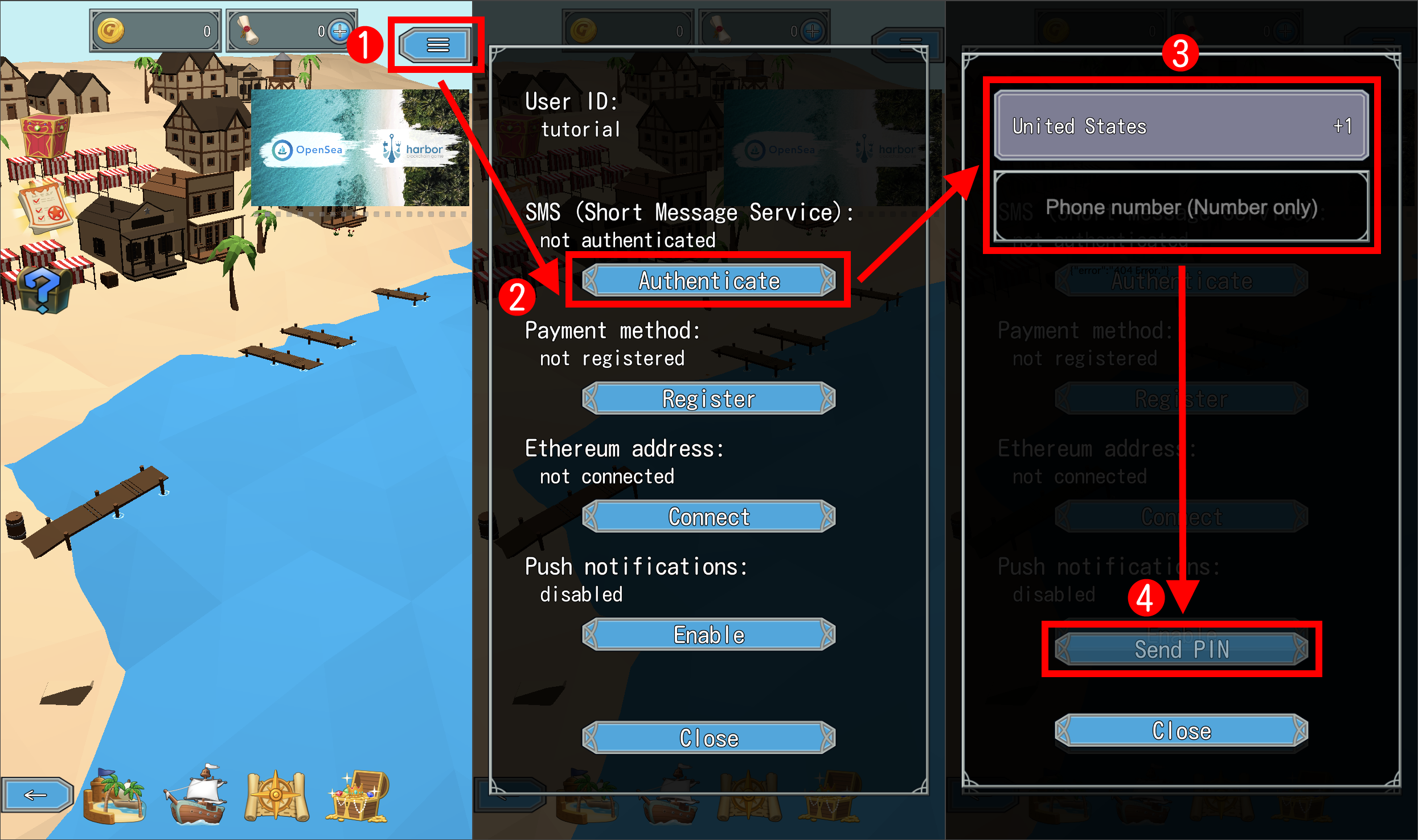
  1. Press "≡" at the top right.
  2. Press "Authenticate" under "SMS:".
  3. Check the country. It starts as the United States, so change it if you live elsewhere. Then enter your phone number using digits only.
  4. Complete the check that you are not a robot.
  5. Press "Send PIN".
  6. Enter the PIN you received by SMS and press "Confirm PIN".
  7. Press "Close" on the menu.

Once authenticated, the special mission "SMS authentication" is achieved and you can claim a 300 G reward. Your G does not increase yet. You receive it in the next step.

SMS authentication prevents one person from using multiple accounts to monopolize marine charts and treasures.

2. Receive the reward and get ready to sail

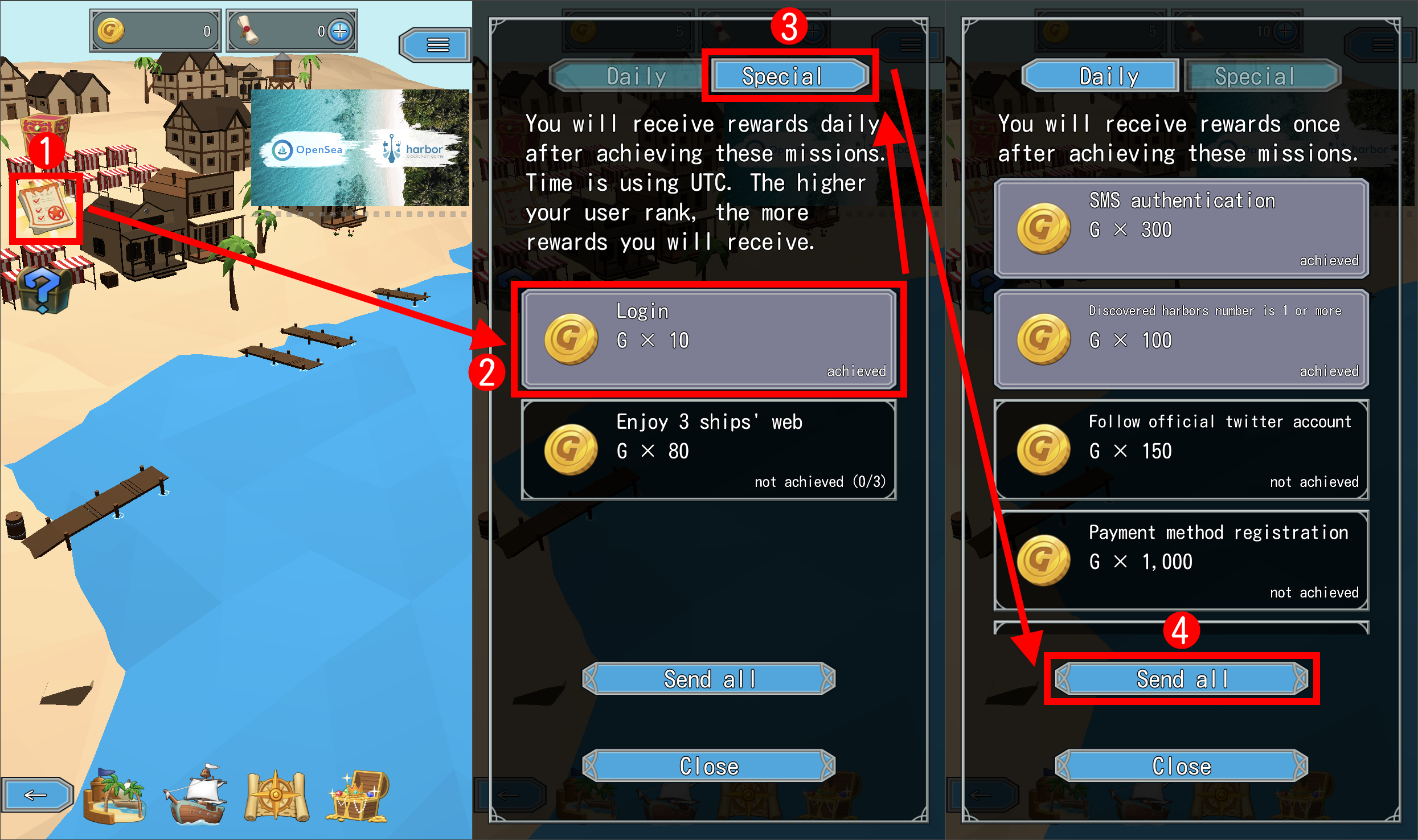
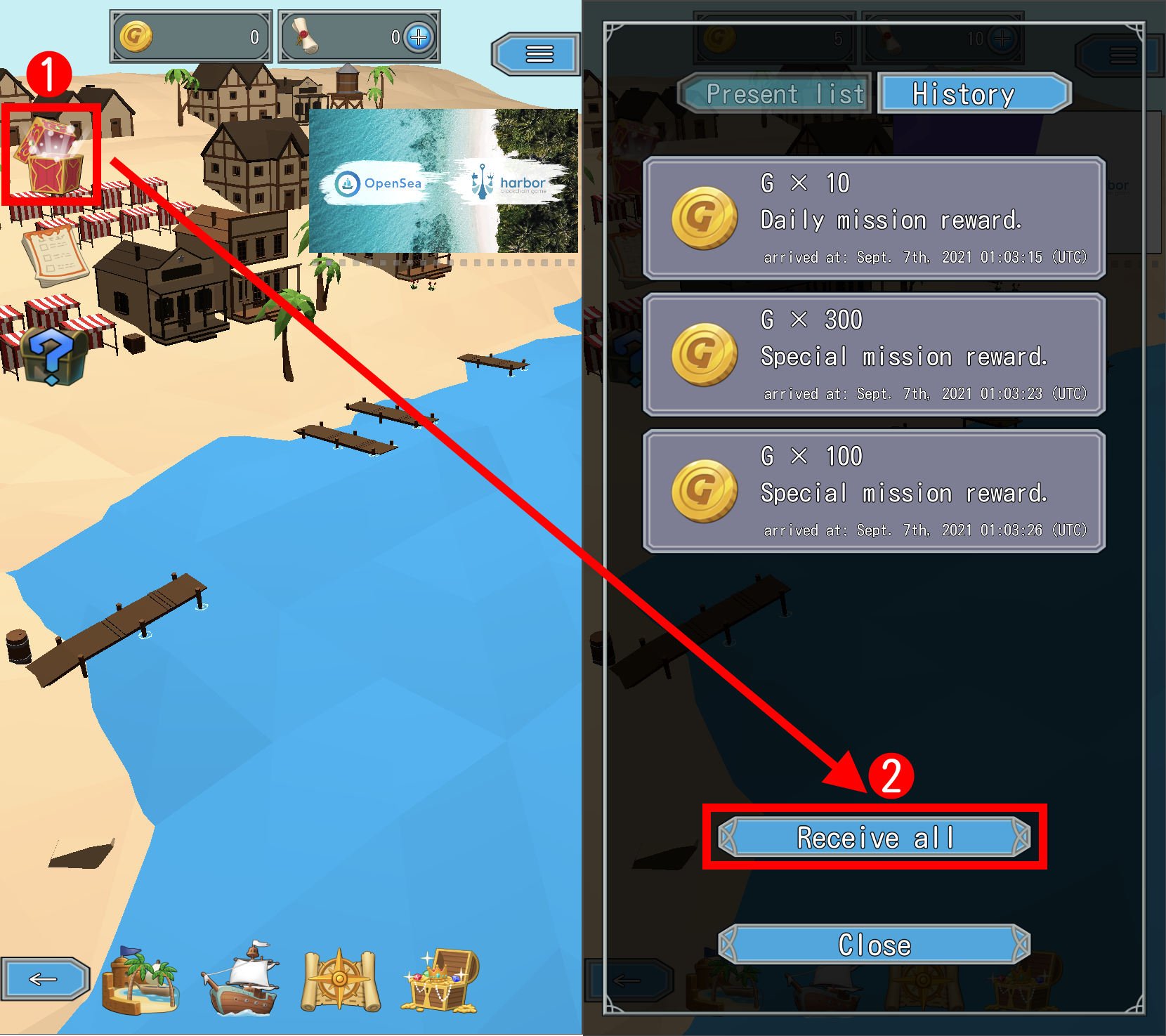
A reward becomes G after you send it from Missions and then receive it in Presents.

  1. Press the missions icon at the top left.
  2. Press "Special", then press "Send all".
  3. Press "Close" on the notice, then press "Close" on Missions.
  4. Press the present box at the top left, then press "Receive all".
  5. Press "Close" on Presents.

When the G at the top of the screen is 300 or more, you are ready.

3. Send your canoe on an 8-hour quest

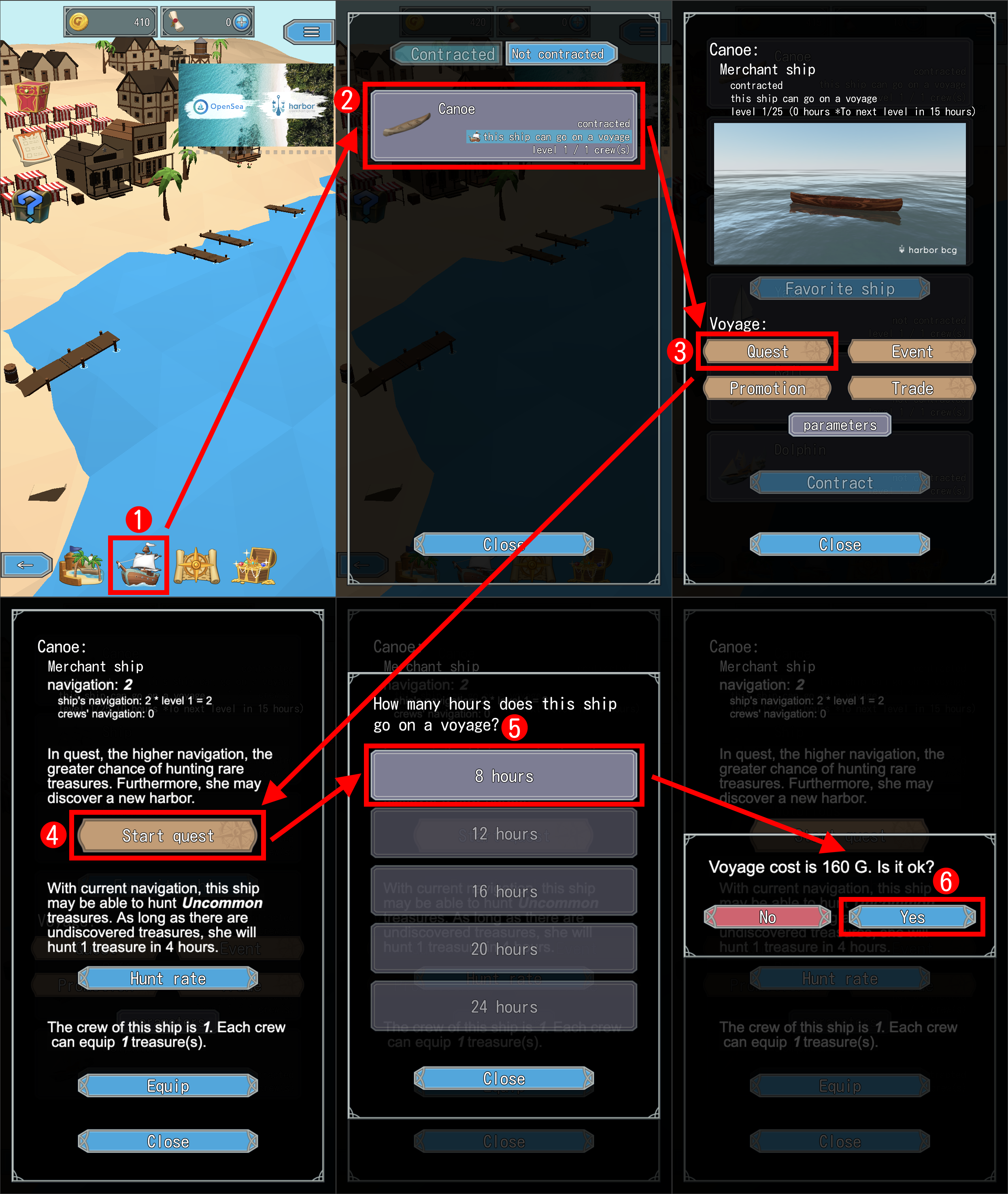
  1. Press the ship icon at the bottom.
  2. Press "Canoe".
  3. Under voyages, press "Quest", then press "Start quest".
  4. Press "8 hours".
  5. When asked to confirm the 160 G voyage cost, press "Yes".

The quest proceeds automatically. You can close the game for the 8 hours.

4. After 8 hours, receive what your canoe found

After 8 hours, open the game and go to the harbor. Your canoe returns and shows what it brought back.

Next, you are asked whether to go on another quest. Press "No" here.

Treasures and marine charts it found arrive in Presents. Press the present box at the top left and press "Receive all".

After your first return, the Battles, Captains and Exchange buttons appear. From here, there is much more to play.

To be notified when your canoe returns, press "≡" at the top right and "Enable" push notifications (not available on some devices).

If you need help

If you are not sure how to proceed, see the FAQ. If that does not help, contact us on Discord.

News is posted on X (@harborbcg).

Smartphone App
Partners
Operating Company
Contact